
You’ll encounter situations where you need to identify which agreements have a specific stock item allocated to them. For example, if a supplier stops producing a particular product, you’ll need to determine which agreements will be impacted.
To view the agreements for a stock item, navigate to the Stock tab under the Stock section.

Next, use the filters on the left to find the stock item for which you wish to view agreements for. Then, select the Agreements tab and within that select a tab to view either New Agreements, Live Agreements or Old Agreements.
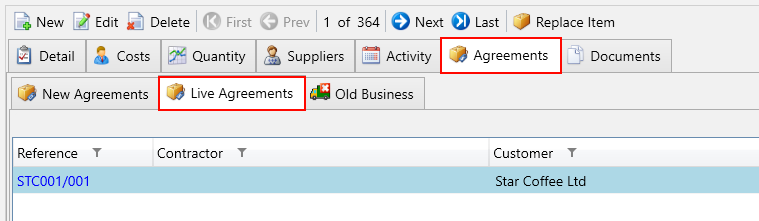
The agreement items for your stock item will be displayed in the grid including the agreement information.