Invoice events will automatically be invoiced the next time the associated invoice account is invoiced. However, you may prefer to manually create an invoice for events if the account is invoiced quarterly or annually. The process for that is described below.
To create a manual invoice for an invoice event
Navigate to the Invoice Events tab under the Finance section.

Next, use the search filters on the left to find the invoice event you want to invoice and select the site in the top grid.
Select the Event Items tab. Then, select the items that you would like to invoice. Press the Create Invoice button on the toolbar.

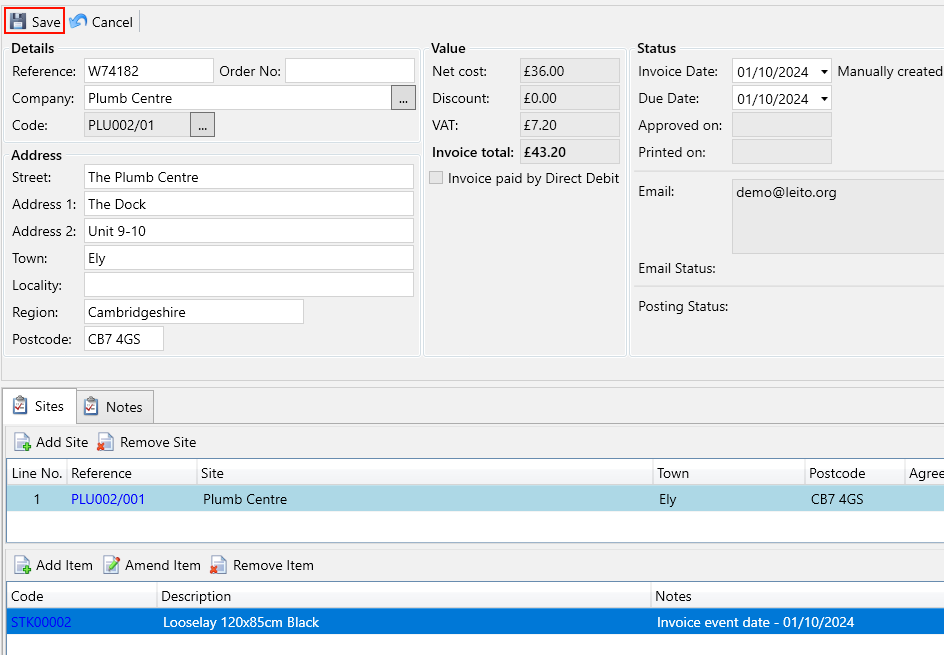
You will be taken to the Invoices screen with the details for the items you selected filled out. When you’re happy with the details press Save.
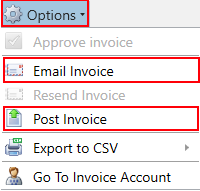
Once saved your invoice can be emailed and posted from the options menu.