
Each year, service dates for the following year need to be established.
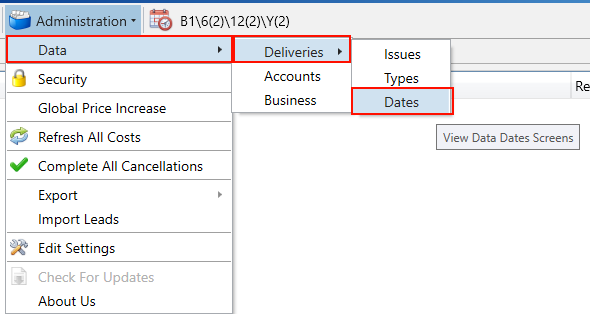
To create the dates, navigate to the Dates tab under the Delivery Dates section, located in the Administration menu on the main toolbar.
Next, use the search filters to search for the last date of the current year, then select the Periods tab.
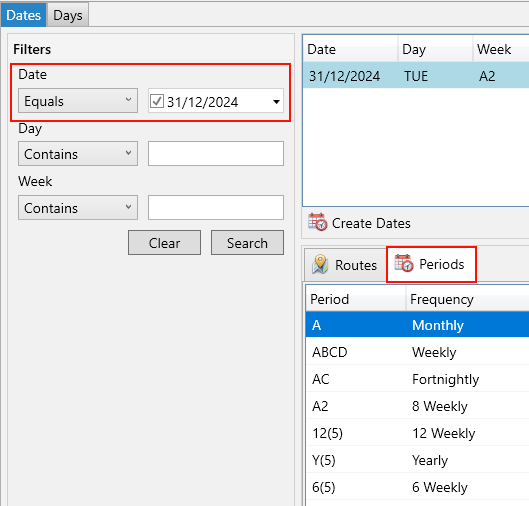
Click the Create Dates button.
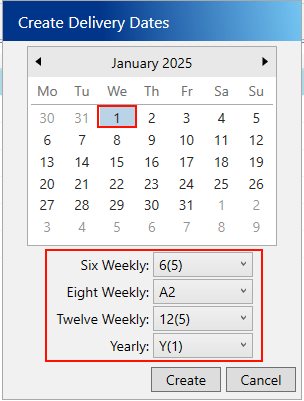
In the popup window, choose the starting date for creating the new dates. Select the periods you wish to apply to that date, then click Create.
A progress window will appear. Once the process is complete, your dates will be generated based on the criteria you specified.