
There will be occasions when you need to invoice only the pro-rata portion of an agreement. This is often necessary for agreements that are billed annually, but you don’t want to wait several months to invoice for the pro-rata dates.
To create a pro-rata only invoice
Navigate to the Invoice Run where you wish to include your pro-rata invoice. Ensure that the “Invoice To Date” of the Invoice Run is on or after the “Pro-Rata From” date of the agreement you intend to invoice.
At the bottom of the “To Create” tab, check the box labeled “Only Create Pro-Rata Invoices”.
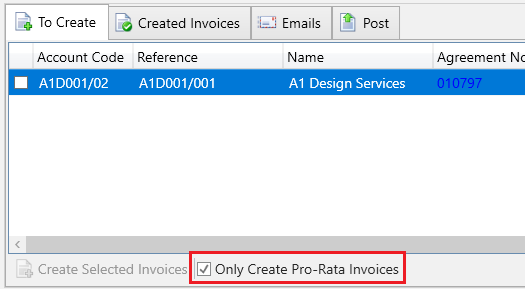
In the grid, use the checkboxes to select the agreements with pro-rata dates that you want to invoice, then click “Create Selected Invoices”.
The selected agreements will be invoiced, and their pro-rata dates will be cleared, allowing them to resume normal invoicing based on their next invoice date.