
When scheduling delivery events, it’s beneficial to plan them when you are already in the nearby vicinity. You can utilize proximity search when adding delivery events, as explained below.
Searching Manifested sites by proximity
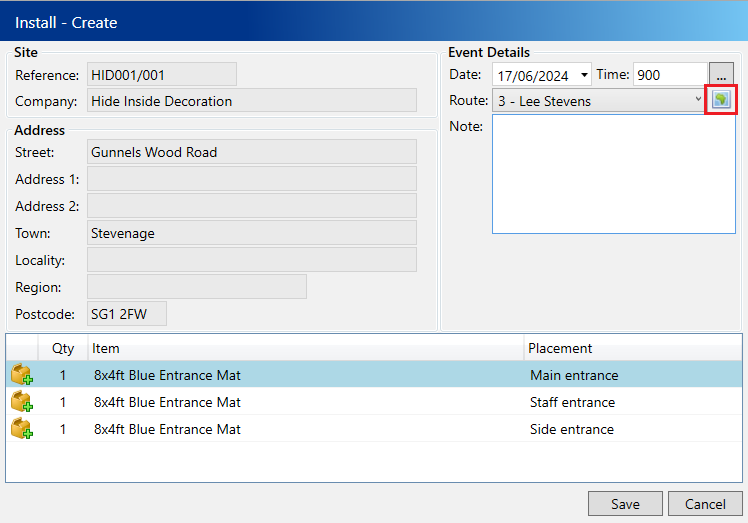
Create or amend a delivery event. In the popup window, click the map icon beside the route dropdown.
In the popup window, you will see all sites within the specified range. The closest sites are at the top. Utilize the filters on the left to search within a date range and adjust the distance for your search criteria.
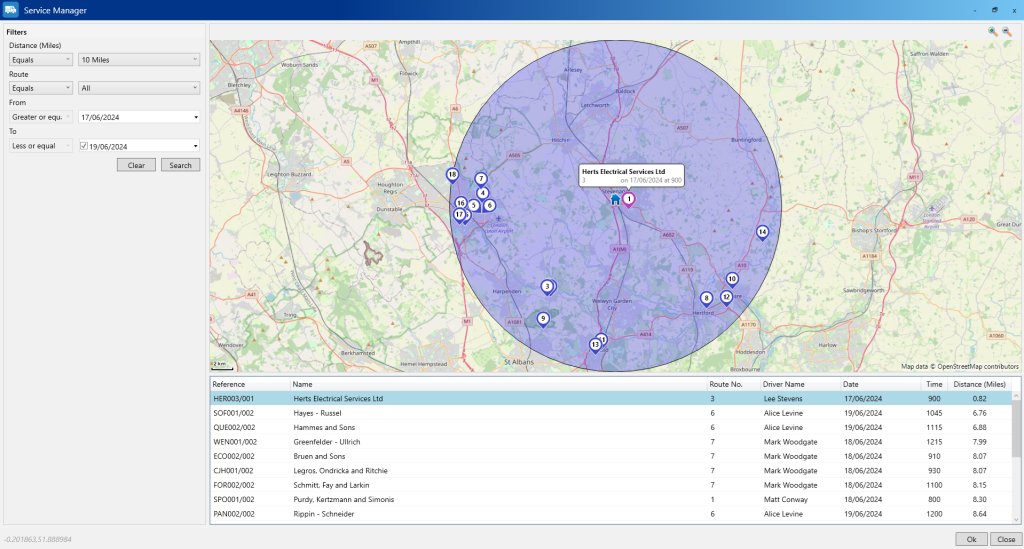
Select the desired site by either choosing it in the grid or clicking on its marker on the map. Then, click the OK button. Your delivery event will be automatically filled out with the date and route information from the selected site.