
Before certain items can be serviced, they may need to be installed. You can schedule installations during the Pending Agreement stage or after the agreement has become Live using the Site Delivery tab.
To arrange from Pending Agreements
Navigate to the Pending Agreements tab under the Customers section.

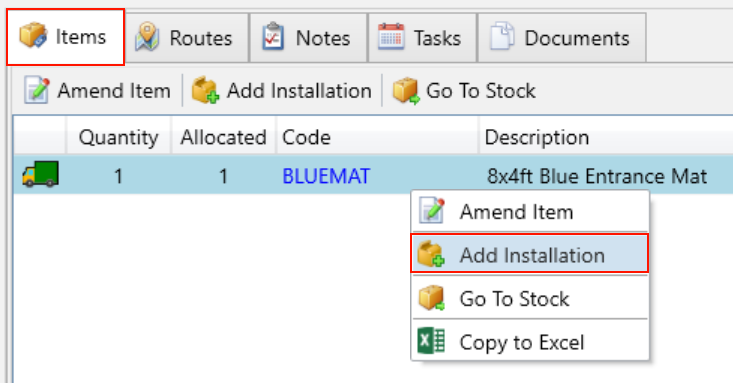
Use the filters on the left to search for the agreement for which you want to add the installation. Then, click on the Items tab.
In the items tab, right-click the item you want to add an installation for and select Add Installation from the menu.
Next, you will see the installation popup with the selected items displayed at the bottom. When scheduling an installation, the Note field will automatically include the service frequency for the selected items. This is particularly useful for the installer to be aware of when handling time-sensitive items like air fresheners.
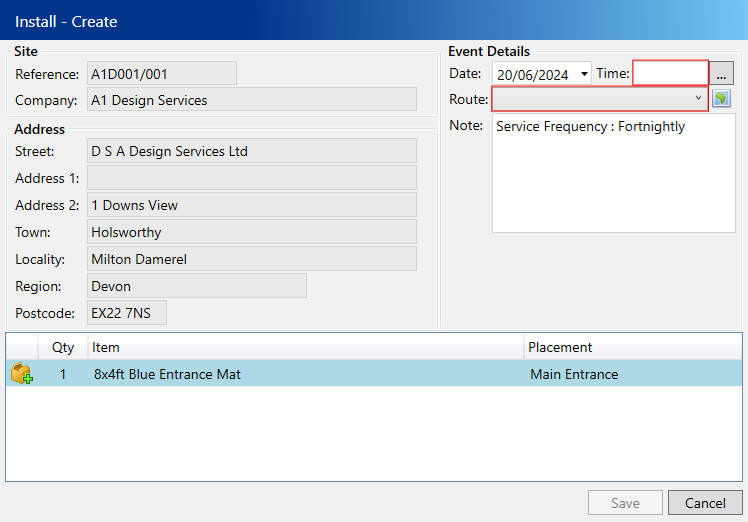
Enter the following compulsory fields:
- Date – The date you intend for the item to be installed, which defaults to today.
- Time – The specific sequence on the selected date/route for installing this item.
- Route– The designated route for installing the item on the specified date.
Click the Save button
To arrange from Site Delivery
Navigate to the Site Delivery tab under the Customers section.

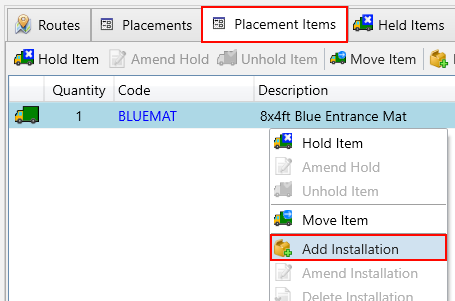
Use the filters on the left to search for the site for which you want to add the installation. Then, click on the Placement Items tab.
In the Placement Items tab, right-click the item you want to add an installation for and select Add Installation from the menu.
Next, you will see the installation popup with the selected items displayed at the bottom. When scheduling an installation, the Note field will automatically include the service frequency for the selected items. This is particularly useful for the installer to be aware of when handling time-sensitive items like air fresheners.
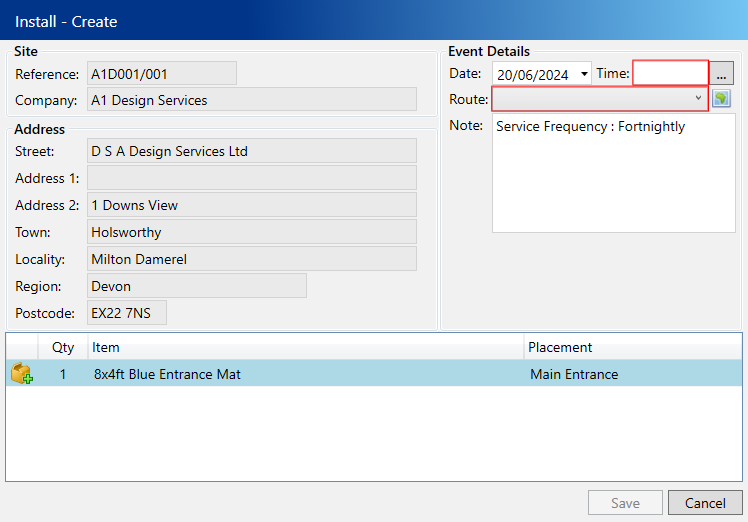
Enter the following compulsory fields:
- Date – The date you intend for the item to be installed, which defaults to today.
- Time – The specific sequence on the selected date/route for installing this item.
- Route– The designated route for installing the item on the specified date.
Click the Save button