
Once you have provided a quote and agreed on terms with a customer, you will need to send them an agreement to sign. In addition to a traditional paper signature, the customer can complete the signature process on the customer portal, and you can send them an email requesting them to visit the portal and sign the agreement.
To request an e-signature, navigate to the New Agreements tab under the Customers section.

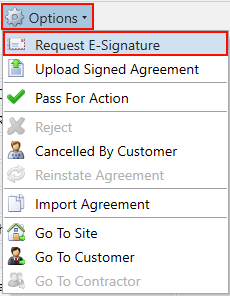
Use the filters on the left to find the agreement for which you want to request an e-signature. Then, select the Request E-Signature button from the Options menu.
You will then be shown the request e-signature popup where you can enter the details for the recipient.
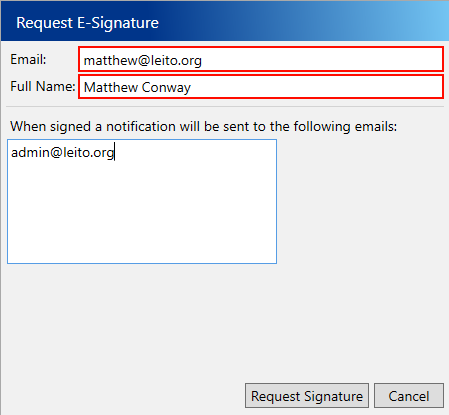
Enter the following compulsory fields:
- Email – The recipient’s email address.
- Full Name – The recipient’s name. If the email address you entered has been used for the customer portal before, this will be filled out automatically.
You can also enter any emails that you want to be emailed a notification when the signature is completed, this will default to the email address for your user.
Click Request Signature to send the customer their email.