When you outsource your work to another provider that is known as sub-contracting in Service Manager.
Each item on an agreement can be outsourced to a different sub-contractor. Multiple sub-contractors can handle items under the same agreement. One company might manage the mats, while another company handles the feminine hygiene bins.
To mark an item as sub-contracted
Create or amend an item on an agreement. In the popup, you can enter the sub-contractor details for this item in the sub-contractor section.
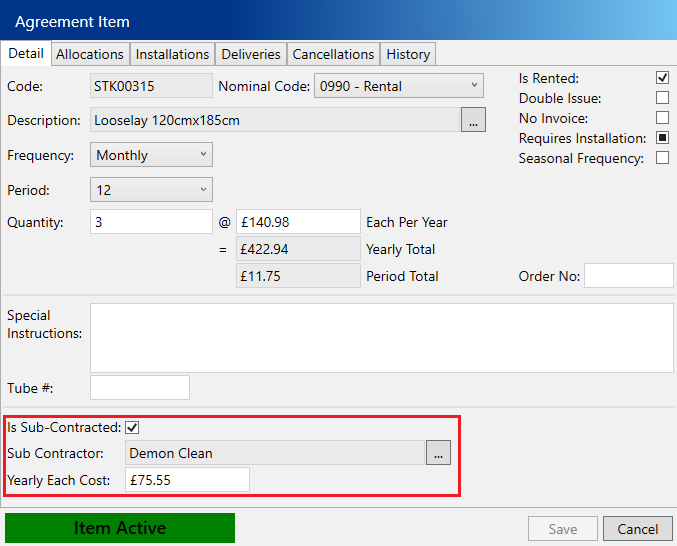
Tick Is Sub-Contracted and enter the following:
- Sub Contractor – The name of the sub contractor, use the … button to select the sub-contractor
- Yearly Each Cost – This is the annual cost the sub-contractor charges per item
Choose Save.
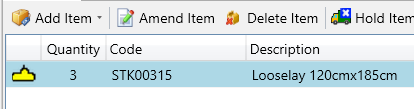
Sub contracted items will have a yellow submarine icon to highlight that they are sub-contracted.