
You can mark each vehicle as requiring a daily vehicle check, ensuring drivers cannot begin their deliveries until the checks are completed. These checks are managed via the Service Manager Desktop, allowing you to enforce them for each specific vehicle.
To require a vehicle check, navigate to the Vehicles tab under the Scheduling section.

Next, use the search filters on the left to find the vehicle for which you want to require the vehicle checks. Then, click the Edit button.
Use the Check Required checkbox to mark the vehicle as requiring a vehicle check.
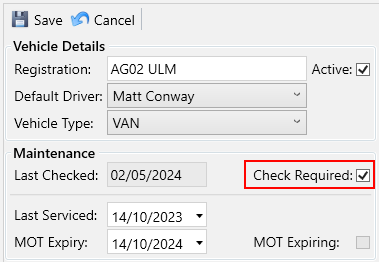
Click the Save button.