
This article provides the steps required to transfer an existing site, and all it’s details to a brand new customer.
This includes agreements, site delivery information and notes.
The customer you are transferring to already exists
If you already have a customer to whom you want to transfer the site, you can easily use the Change Customer option from the menu on the site screen.
Choose Customers, and then select Sites from the home screen.
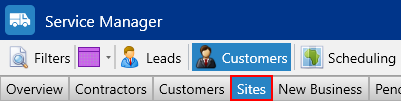
Using the search window find the site you wish to transfer then from the Options drop down menu select Change Customer
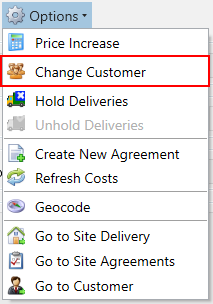
From the popup window choose the Customer. Click Ok
You’ll be asked to confirm the trasnfer, Click Yes. Everything will now be transfered across.
You need to create a new customer to transfer the site to
Occasionally, a new customer will take over a site you are currently servicing for different customer. In this case you will need to create the customer first then transfer the site to them following the instructions already provided.
Choose Customers, and then select Customers from the home screen.
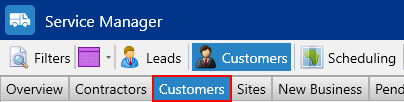
On the Customer tool bar, choose New

Enter the new customer details
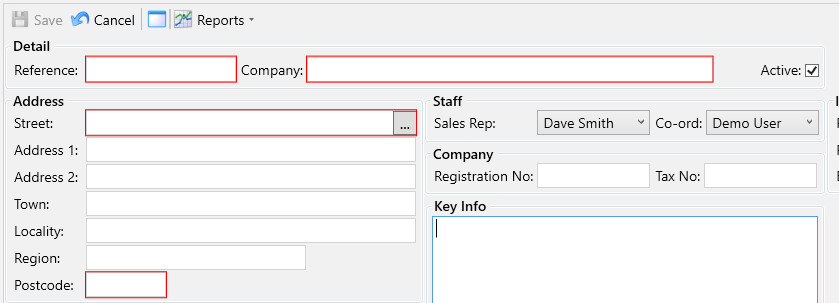
- Reference – The custome reference, usually the same as used in your accounts system
- Company – Customer name
- Address – Use the address lookup or enter the address manually
Click the Save button, then navigate to the Sites tab under the Customers section.
Using the filters on the left find the site you wish to transfer. Then, from the Options menu select Change Customer.
From the popup window choose the Customer. Click Ok
You’ll be asked to confirm the trasnfer, Click Yes. Everything will now be transfered across.