
The main window of Service Manager is split into different areas, with a Grid View or Detail Form being displayed at the top and then related information for the currently selected record being displayed at the bottom. On the left-hand side of the screen there is also a Search Area which can be used to build complex searches.
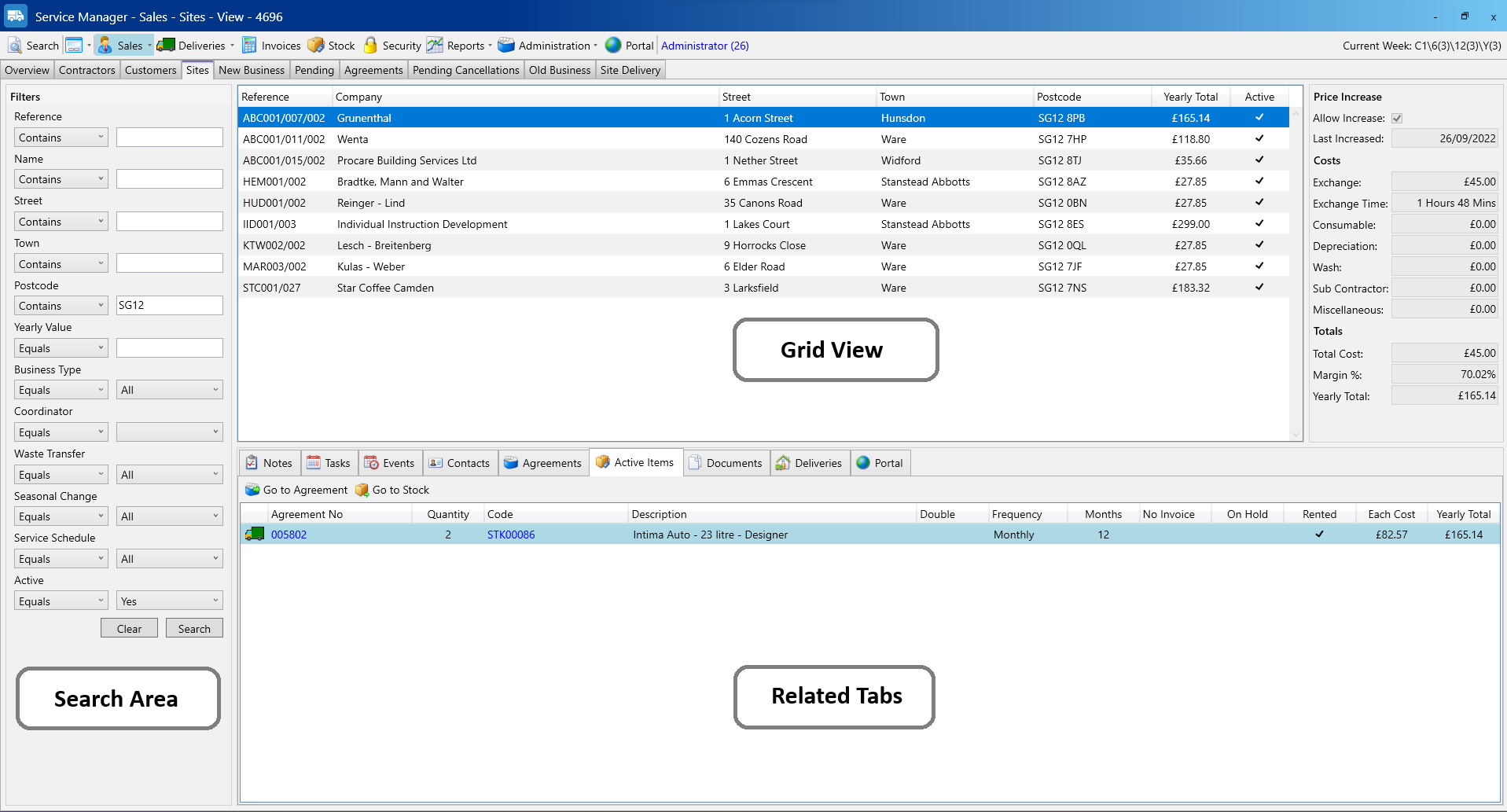
In the screenshot above, you can see we have used the postcode filter in the Search Area to find all active sites with an SG12 postcode. The results are displayed in the Grid View and the first result is automatically selected and at the bottom the Related Tabs display information for that selected result. In this case the Active Items tab is showing all of the items on the selected “Grunenthal” site.
We can have a more detailed look at our selected result by toggling the current screen to the Detail Form.
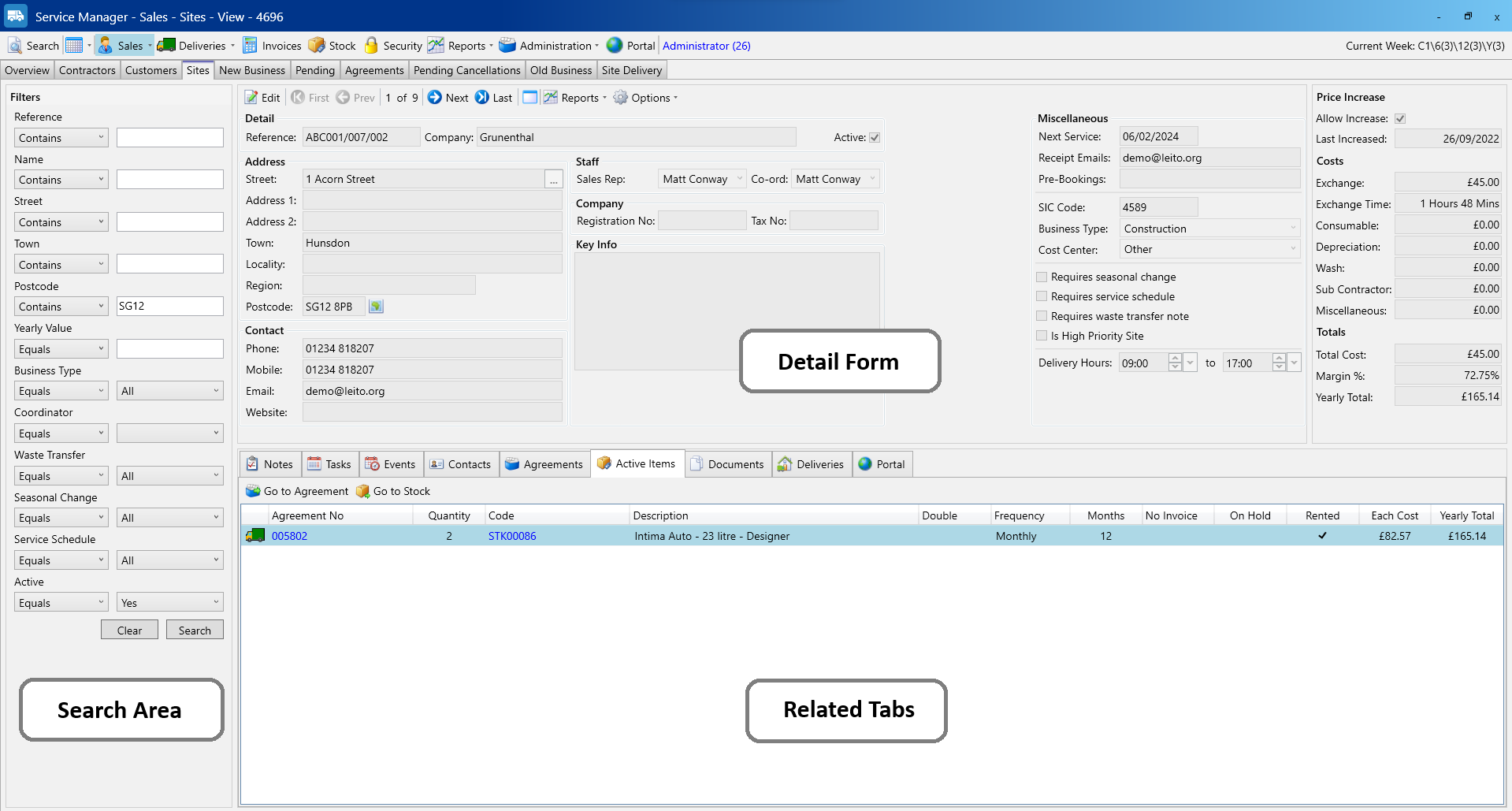
Changing between the Grid View and Detail Form can be done on almost every screen within Service Manager!
When clicked this button will switch to whichever view you aren’t currently using. For example, if you have the Grid View displayed when you click the toggle button it will change the screen to the Detail Form and vice versa.