
Once an agreement has been printed or sent to a customer for e-signature, it enters a status where further amendments are restricted. This is highlighted by the Agreement Printed status in the top right of the New Agreement screen. If changes are necessary, such as correcting a mistake identified by the customer, you must first reject the New Agreement to proceed with your revisions.
To reject a new business agreement, navigate to the New Agreements tab under the Customers section.

Use the filters on the left to search for the new agreement that you want to reject. Then, select the Reject option from the Options menu.
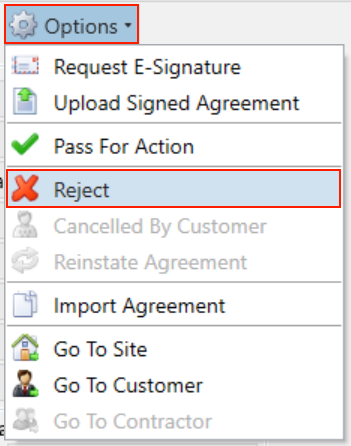
You will be asked if you are sure you want to reject the agreement, click Yes.
The status displayed in the top right will now change and you can then amend your agreement and items again.