
Version 6.0.0 introduces a range of improvements across the Service Manager interface, agreements, reporting and integrations. This release also lays important groundwork for upcoming features, including digital waste tracking and improvements to the mobile app.
Below is a summary of the key changes included in this update.
Updated Main Window Layout
The main Service Manager interface has been redesigned to improve navigation and accessibility.
Changes include:
- Global Search added for quicker access to records across the system
- Back button added for easier navigation
- Grid / Details / Map view controls moved to the top bar

- Settings moved to the top bar
- Notifications moved to the top bar
- Current date label moved to the top bar

- File Menu added for admin functions
- Improved tab labels to make the active tab clearer
- Updated icon styling for improved visibility and consistency
These changes aim to make commonly used tools easier to access while creating a cleaner workspace.
Agreements
The Live Agreements screen has been improved to make working with agreement items easier.
Enhancements include:
- Improved filtering options
- Easier exporting of agreement item data
- Better visibility of agreement item information across customers
Additional updates:
- Agreement Item History is now accessed via right click → View History, and now includes a Find text box for searching
- Agreement Item Deliveries can now be accessed via right click → View Deliveries

Agreement Items
The agreement item layout has been redesigned to improve stock handling and invoicing flexibility.
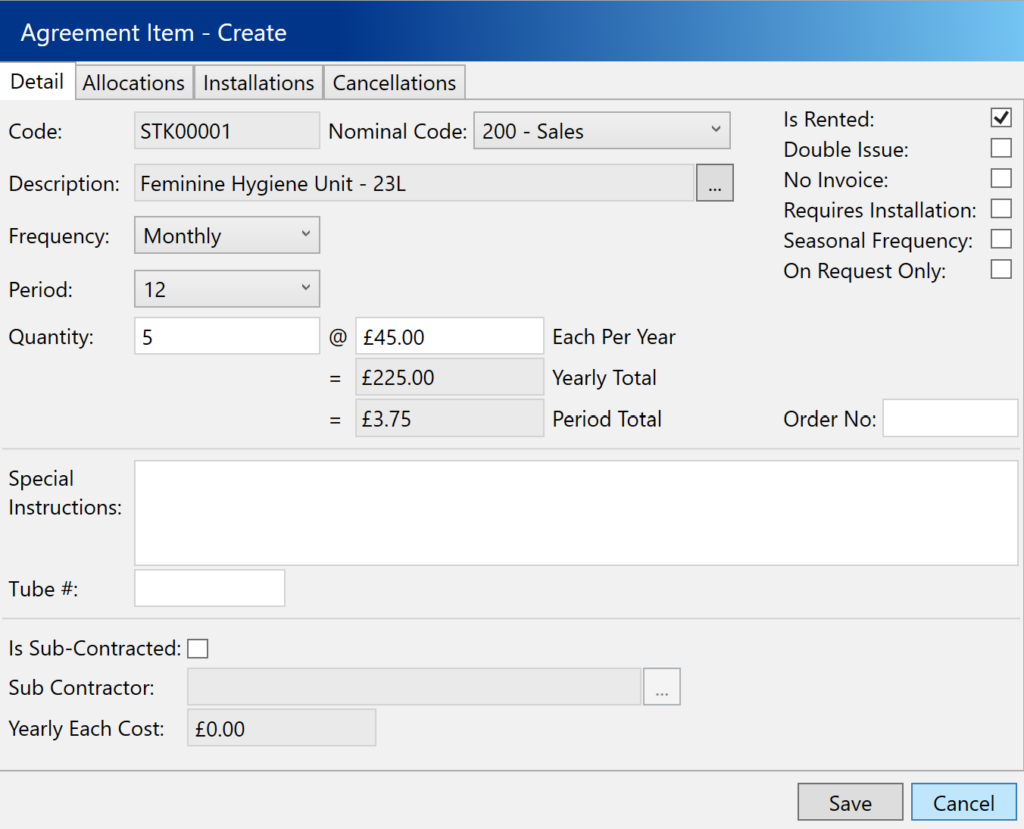
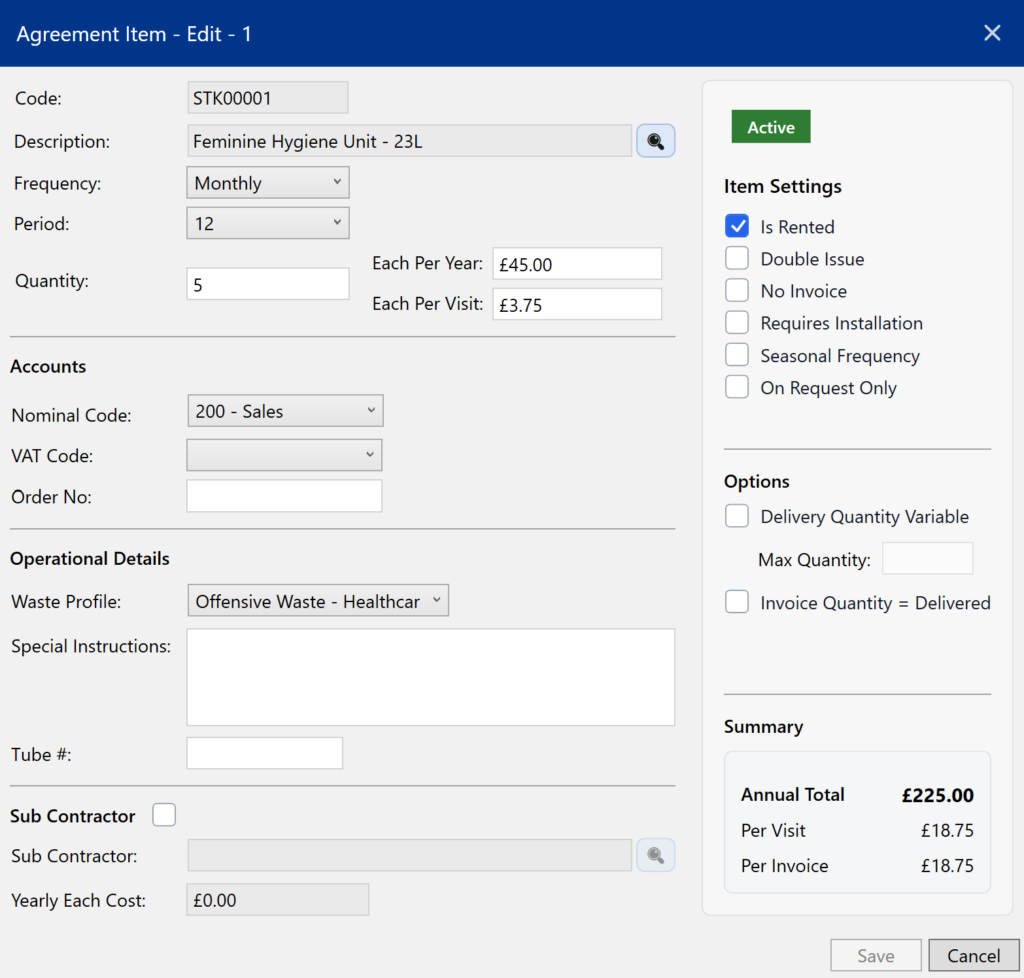
New features include:
- Variable delivery quantities
- Maximum quantity limits to control quantities entered in the mobile app
- Invoice quantity based on delivered quantity
These fields have now moved from stock items to agreement items. This allows a single stock item to be reused across multiple contracts while still maintaining accurate delivery and stock tracking.
Additional improvements:
- New summary section for agreement items
- Per-visit cost editor allowing prices to be entered per visit or annually. The system will calculate costs based on the selected frequency.
New Placement Wizard
A new Placement Wizard has been introduced to simplify allocating placements to items.
This tool allows placements to be added or pasted and then assigned to items more easily.
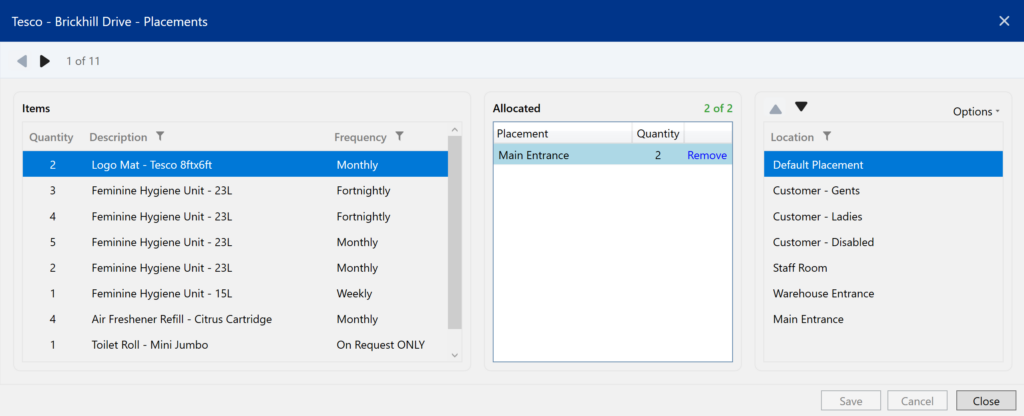
View the full guide here: Using the Placement Wizard
Combined Site Deliveries
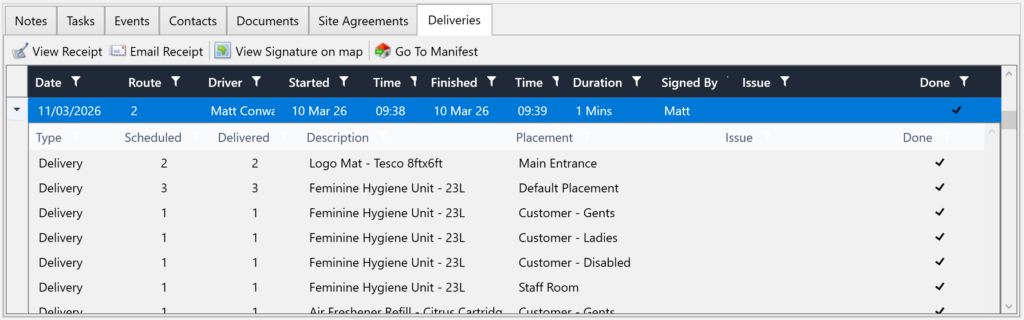
Sites can now display both scheduled and manifest deliveries together for a 24-month period, making it easier to review upcoming and historical activity.
Route Admin Redesign
The Route Admin screen has been completely redesigned.
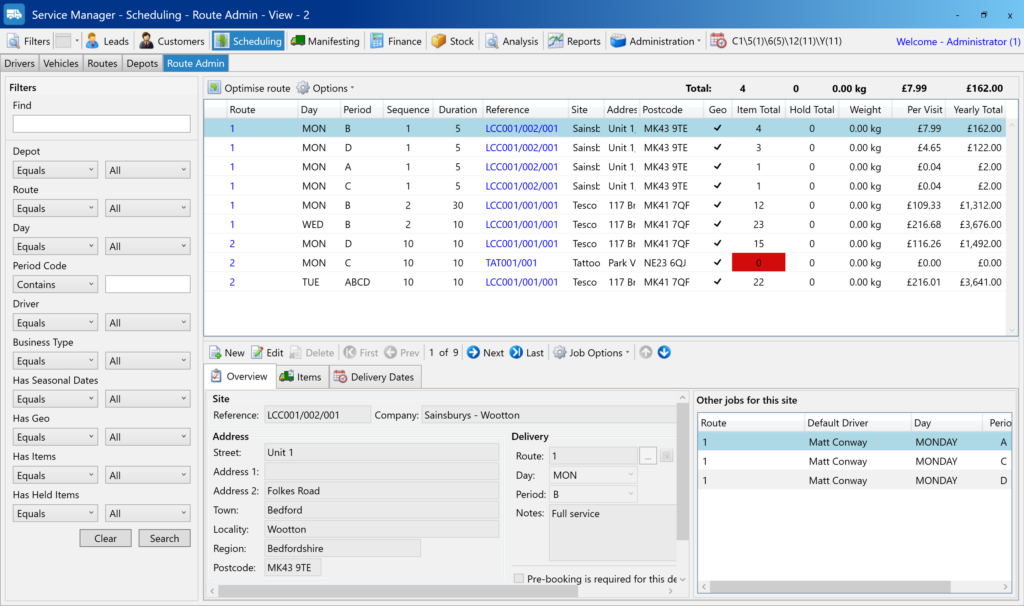
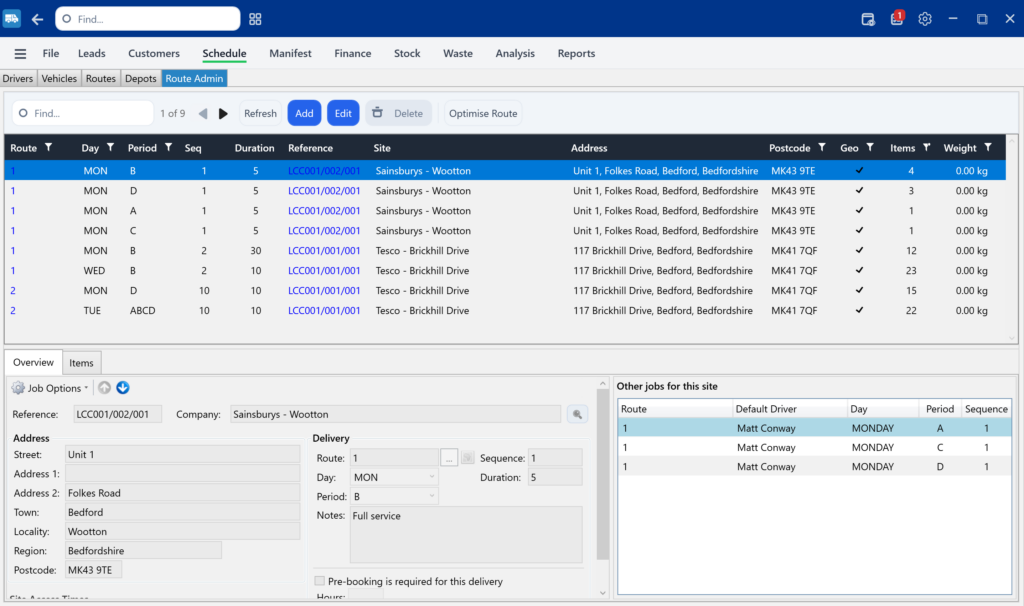
New capabilities include:
- Searching using multiple filters at once
(for example selecting multiple delivery periods such as Mon, Wed, and A)
These improvements make route management and scheduling significantly faster.
View the full guide here: Managing Routes with Route Admin
Invoice Lines
The Finance → Invoice Lines screen now uses the updated grid style for improved usability and consistency.
Reporting
The report system has been updated to improve reliability and support future enhancements.
Waste Profile (Preparation for Digital Waste Tracking)
A new Waste Profile feature has been introduced to support upcoming Digital Waste Tracking (DWT) requirements.
- Waste profiles can now be created and configured.
- New waste profile edit screens have been added.
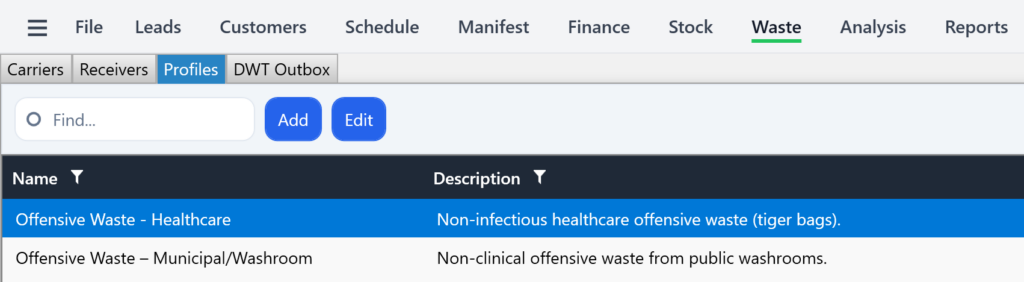
This prepares systems for future compliance requirements.
Email & API Improvements
A new email API service has been introduced.
This enables:
- Generation of receipt emails
- Generation of pre-booking emails
- Use of a dedicated email server
Benefits include:
- Greater template flexibility
- Removal of previous sending limitations
- Improved reliability for automated emails
General Usability
- Additional help text added across various screens
- Many grids are beginning to move to the new filtering and layout style
Mobile App Alignment
Many of the improvements in this release support features used by the new Service Manager mobile app, particularly around deliveries, contract items and scheduling.