
Drivers can quickly send a note to the office if they spot a potential sales opportunity while on site. This could be anything worth following up on, such as a customer asking about extra services, additional units, or another area that may need attention.
1) Open the site details page
From your route, select the site you want to view. This will open the site details page.
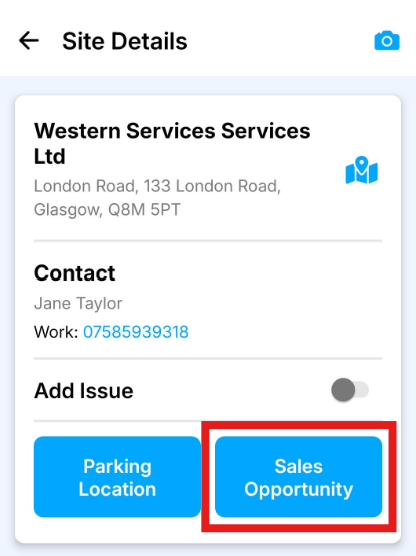
2) Press Sales Opportunity
On the site details page, press the Sales Opportunity button.
3) Enter notes
Add the details of the opportunity you have spotted. Include as much useful information as possible so the office can review and follow up.
4) Save
Press Save to send the note back to the office.
The sales opportunity will then be available for the office to review in Service Manager.