
If your device is set to require a consignment number, you will be prompted to enter one when starting a job. This is typically used for hazardous waste collections where a reference must be recorded.
1) Open the consignment number screen
When you start the job, the Enter Consignment Number screen will be displayed.
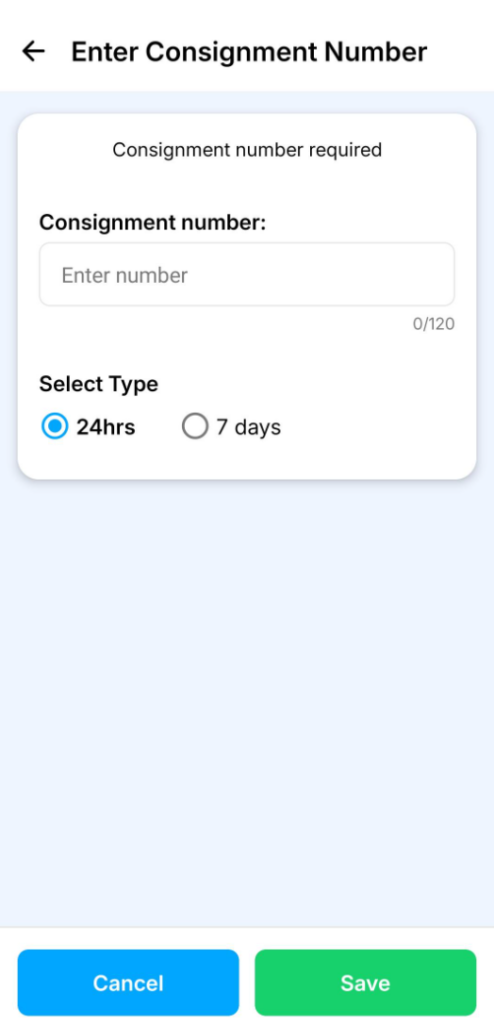
2) Enter the consignment number
Type the reference into the Consignment number field.
3) Select the type
Choose how long the consignment number is valid for:
- 24hrs
- 7 days
4) Save
Press Save to confirm and continue with the job as normal. See How to Complete a Delivery in the Mobile App.