
Appearance
Invalid Customer Name
You may see "Invalid customer name" when you post an invoice to QuickBooks.
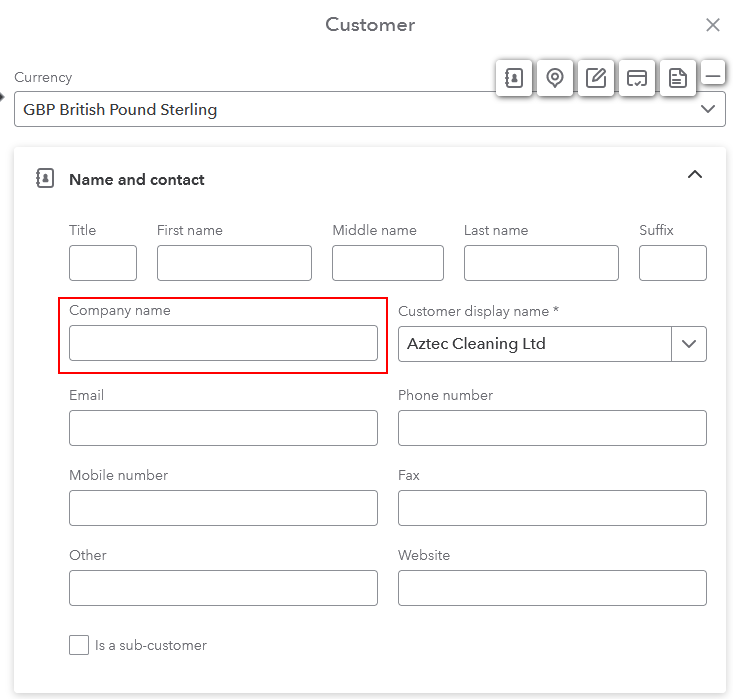
This happens because QuickBooks looks for a customer whose Company Name exactly matches the Company on the invoice account in Service Manager. It doesn't look at the QuickBooks Customer display name. If the two names don't match exactly, QuickBooks can't find the customer.
To fix it
- In Service Manager, click Finance, then the Account tab, and find the account. Note down the Company name exactly as it's written.
- In QuickBooks, open the customer and enter the same name in the Company Name box.
- Back in Service Manager, post the invoice again.
TIP
To see the error again, find the invoice on Finance → Invoices, right-click it and choose View Posting Error. The Posting Status column shows which invoices didn't post.