
Appearance
Understanding Placements
A placement is the place on a site where an item is put or serviced, such as "Main Entrance" or "Ladies".
Each site has its own list of placements, and one of them is always the default. A site can have any number of placements. New items go into the default placement until you move them.
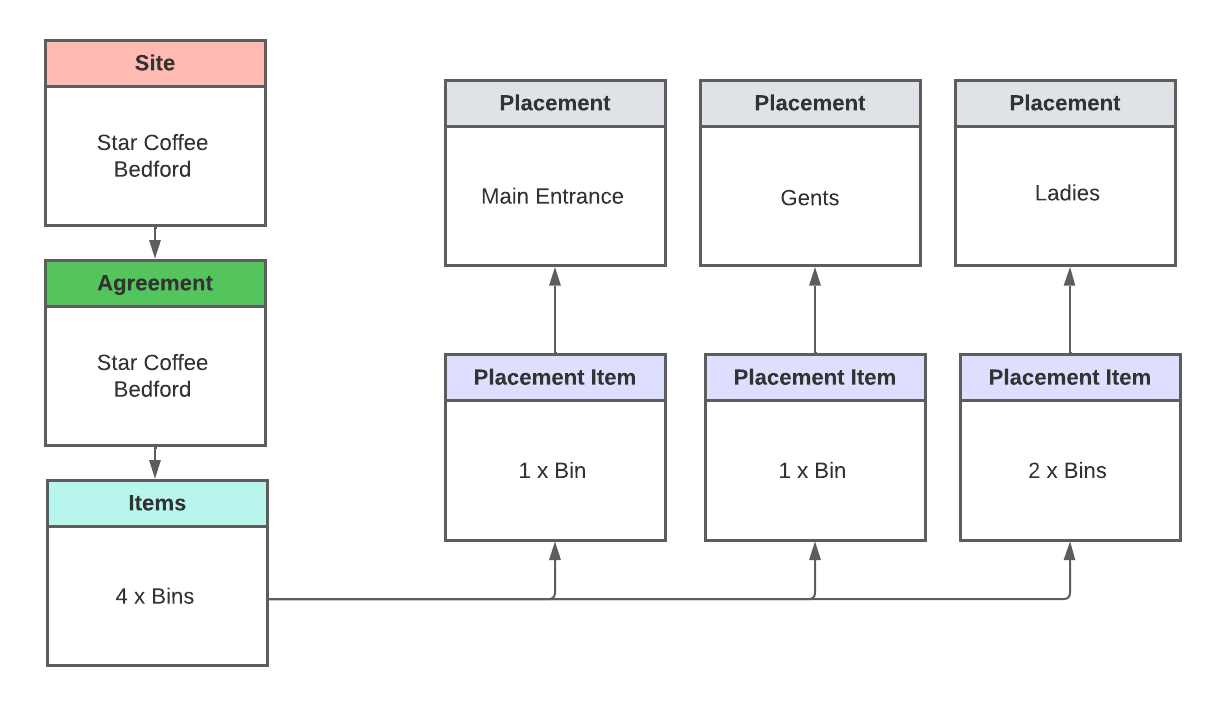
For example, the Star Coffee Bedford site has an agreement with 4 x Bins. They'd like them put in these placements:
- 1 x Bin for the Main Entrance
- 1 x Bin for the Gents
- 2 x Bins for the Ladies
This is shown in the diagram below:
Where to find placements
Click CRM, then the Site Delivery tab, and select the site. The Placements tab lists the site's placements. Use Create Placement, Amend Placement and Delete Placement to manage them, and the up and down arrows to change their order. The Is Default column shows which one is the default.
To share a site's items between its placements quickly, use the Placement Wizard.